Small Business Phone Systems

Cloud phone service for offices of roughly 5 to 50 people, with a mobile app, auto-attendant and voicemail-to-email, set up and supported by TELECO.

A PHONE SYSTEM SIZED FOR A SMALL OFFICE

Small teams need the same professional call handling as large companies, without a server closet, a long installation or an in-house IT department to manage it.
Small Business Phone System

WHY SMALL OFFICES ARE MOVING TO THE CLOUD

Many small businesses still run on a handful of copper landlines or a PBX that was installed years ago. Those systems work until something breaks, a line needs to be added, or the one person who knows how to reprogram the system is out for the week. Replacement parts get harder to find, and every move, add or change can mean a service call.

A cloud phone system replaces that equipment with service delivered over your internet connection. There is no PBX on site to maintain, and the system is billed as a monthly service, which fits a technology-as-a-service (TaaS) approach rather than a large up-front purchase.

Signs it may be time to switch:

  • Your current phones or PBX are out of warranty or hard to repair
  • Adding an extension for a new hire requires a technician visit
  • Calls go unanswered when staff step away from their desks
  • You are paying for several separate landlines and add-on features

MAKING THE SWITCH

Moving from landlines or an older PBX does not have to disrupt the business. TELECO plans the changeover around how your office actually handles calls, so your team is comfortable with the new system from the first day.

CLOUD PHONE SYSTEMS (UCAAS) IN PLAIN TERMS

UCaaS stands for unified communications as a service. Instead of owning phone hardware, your business subscribes to a phone system that runs in the cloud. Calls, voicemail, messaging and video meetings are managed from one platform, and each user can sign in from a desk phone, a computer or a smartphone.

What that means for a small office:

  • No on-site PBX to buy, house or maintain
  • Users and extensions can be added or removed as the team changes
  • Call routing and business hours are updated through an online portal
  • A second location can join the same system and dial by extension
Business Phone Systems
Small Business Phone System

DESK PHONES, MOBILE APP & DESKTOP APP

Small teams rarely stay in one place all day. With a cloud phone system, a user’s extension can ring on a desk phone, a computer and a smartphone at the same time, so calls reach people whether they are at their desk, at a job site or between appointments.

The mobile app lets employees make and take calls using the business number instead of a personal cell number, keeping customer conversations under the company name. Call history, voicemail and contacts stay together in one place, and a call can be handed back to the office with a few taps.

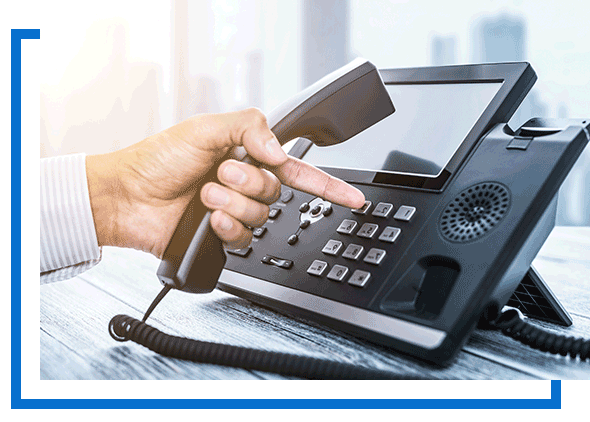
For the front desk or anyone who is on the phone most of the day, IP desk phones and headsets provide a familiar experience, while the desktop app suits staff who prefer to work from their computer.

FEATURES SMALL TEAMS USE EVERY DAY

Most small offices do not need a long list of enterprise features. They need a handful of tools that make the business sound professional and keep calls from slipping through the cracks.
Business Phone Systems

AUTO-ATTENDANT

An auto-attendant answers incoming calls with a recorded greeting and routes callers to the right person or department, such as “press 1 for sales, press 2 for service.” You can set different greetings and routing for business hours, after hours and holidays, so a small team sounds organized without a full-time receptionist.

VOICEMAIL-TO-EMAIL

Voicemail-to-email delivers each new message to your inbox as an audio file, so staff can listen from anywhere and forward a message to a coworker when needed. Paired with ring groups and call forwarding, it helps make sure a customer’s message gets noticed, even when nobody was free to pick up.

Business Phone Systems

SIMPLE SETUP AND ONGOING SUPPORT

Changing phone systems should not pull your attention away from running the business. TELECO works through the setup with you, from reviewing how calls should flow to configuring users, greetings and devices, so the system is ready to use when it goes live.

A typical small office changeover covers:

  • A review of your current lines, numbers and call flow
  • Setup of users, extensions, auto-attendant menus and voicemail
  • Desk phone and mobile app setup for each user
  • A walkthrough of everyday features for your staff
  • Help from the TELECO team when you need changes after go-live
Business Phone Systems

NEED MORE THAN A CLOUD-ONLY SYSTEM?

Some businesses want on-site survivability during an internet outage, or a platform that supports several larger locations. TELECO also offers hybrid and on-premises communications platforms, including solutions from Sangoma.

Compare every option on our main Business Phone Systems page, or send us a few details below and we will help you choose the right fit for your office.

TALK TO US ABOUT YOUR OFFICE PHONES

Please enter your business or company email for validation.
keyboard_arrow_up